LearnAI CAD generation
Can ChatGPT create a CAD file? What works, what breaks, and the tools built for it
ChatGPT writes CAD code, not CAD files. Here is what it gets right, the three ways a bracket goes wrong, and what a real text-to-CAD loop adds.
· 8 min read
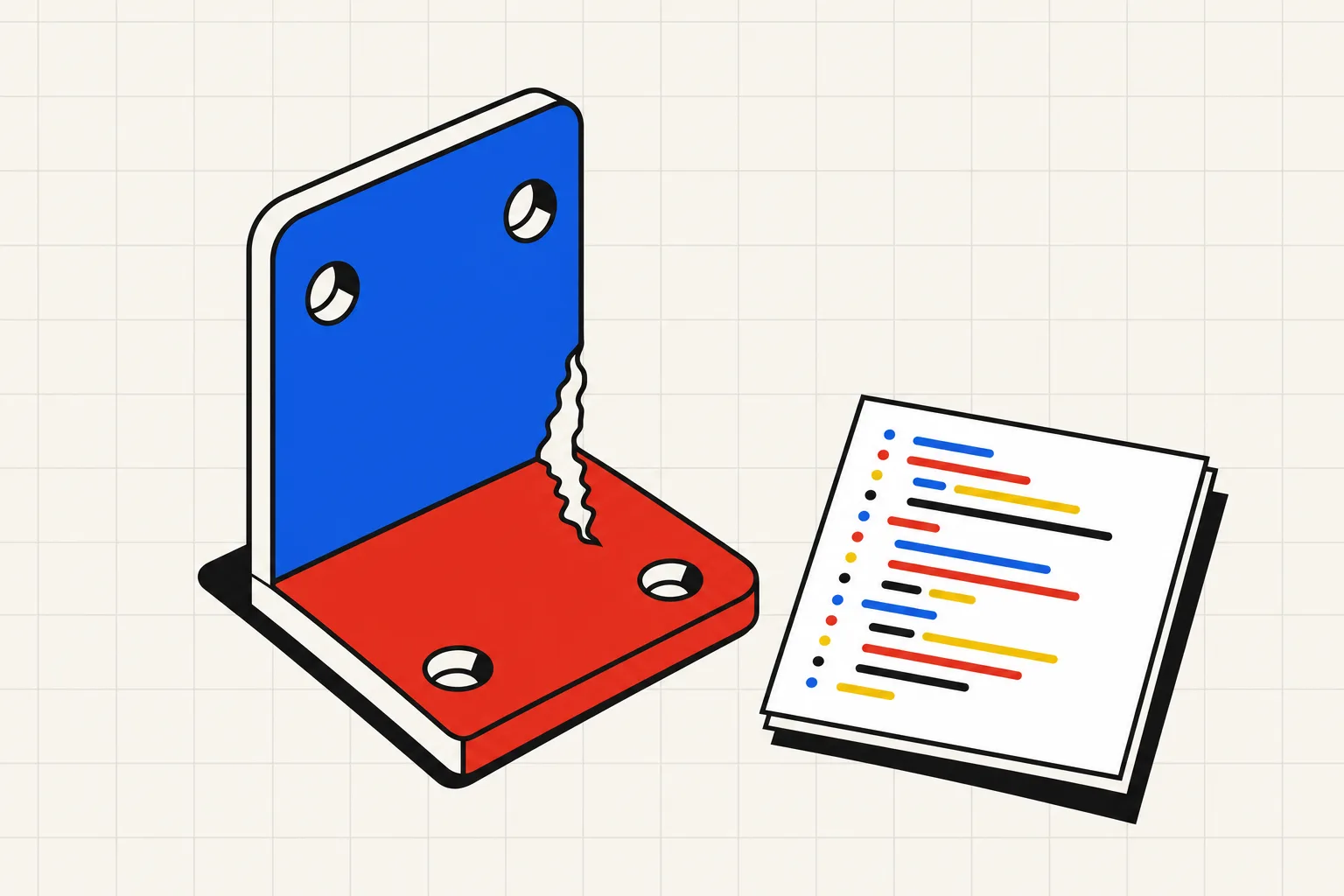
Sort of. ChatGPT cannot open Fusion or SolidWorks, and it cannot hand you a native part file. It can write code that describes a part, in OpenSCAD or in Python with build123d, and you turn that code into an STL or STEP yourself. For a spacer or a plain box that works. For anything with holes that have to line up, the code usually looks right and is wrong somewhere you only find after printing.
ChatGPT can create the code for a CAD file, not the file itself. Ask it for a bracket and it will write an OpenSCAD script or a build123d Python script with your dimensions in it. You then run that script in OpenSCAD or Python to get an STL or STEP. ChatGPT can also run Python in its own sandbox, so it can sometimes produce a mesh file for download. What it does not do is check the geometry. A script that runs without errors can still put holes on the wrong face, cut a groove instead of a hole, or mix up which axis is up, and the model reports success either way. Simple parts with no mating features come out fine. Parts that have to fit something need a tool that executes the script, measures the result against the spec, and sends failures back to the model until the checks pass.
What ChatGPT actually hands you
Ask ChatGPT for "a CAD file" and you get one of three things.
A promise. A thread on the OpenAI developer forum describes ChatGPT offering to draw an RC car chassis in Fusion 360, reporting progress hour by hour for two days, then admitting it had never started. Fusion files are binary. ChatGPT has no Fusion. Any answer that says "I'll export the F3D shortly" is made up.
A 2D profile. DXF and SVG are text, so ChatGPT can write an outline you import and extrude yourself. That is a sketch, not a part.
Code. This is the useful path. OpenSCAD is a scripting language for solids. build123d is a Python library on the Open Cascade kernel that exports STEP and STL. Both have enough examples online that ChatGPT, on GPT-5.6 Sol or on GPT-6 Astra, which began rolling out on 3 September 2026, writes plausible scripts for either. ChatGPT can also run Python inside its container, and Simon Willison documented in January that pip install works there. So in principle it can install a CAD library, run the script, and give you a mesh to download. Whether it does that unprompted, and whether it checks what came out, is the whole question.
One prompt, three scripts
Here is the prompt, the kind a maker types after measuring a shelf.
An L bracket in build123d. Both legs 40 mm long, 25 mm wide, 3 mm thick. Two 4.5 mm holes in each leg, 10 mm from each end, centred on the width.
Three outcomes, in the order they tend to happen. I wrote these scripts myself as illustrations and ran them against build123d 0.11.1. Each mirrors a documented failure.
Script 1 stops on line one
Chat models have read far more CadQuery than build123d, and the two look alike, so the first draft often uses CadQuery's fluent chain:
base = Box(leg, width, t)
upright = Box(t, width, leg).translate((-leg/2 + t/2, 0, leg/2))
bracket = base.union(upright)
bracket = bracket.faces(">Z").workplane().pushPoints([(10, 0), (30, 0)]).hole(hole_d)
Result:
AttributeError: 'Box' object has no attribute 'union'
This is the good failure. It is loud, you paste it back, and the next draft is closer. In OpenSCAD the equivalent is a syntax error on a bracket the model forgot to close.
Script 2 runs clean and cuts a groove
The second draft uses the right library and runs without a single error:
base = Box(leg, width, t, align=(Align.MIN, Align.CENTER, Align.MIN))
upright = Box(t, width, leg, align=(Align.MIN, Align.CENTER, Align.MIN))
bracket = base + upright

for x in (10, 30):
    bracket -= Pos(x, 0, 0) * Cylinder(hole_d / 2, 50)
for z in (10, 30):
    bracket -= Pos(0, 0, z) * Cylinder(hole_d / 2, 50)
The base holes are correct. The upright holes sit at the right heights, but every Cylinder in build123d points along Z unless you rotate it. Two cylinders standing upright at x = 0 do not pass through the vertical leg. They carve a channel down its corner. Measured on the result:
| Check | Expected | Measured |
|---|---|---|
| Volume removed by four holes | 190.9 mm³ | 413.5 mm³ |
| Probe rod through upright hole at z = 30 | passes | hits solid |
ChatGPT would report this script as done. Nothing errored, the bounding box is right and one leg has its two holes. You find out on the print bed, when the other pair is a slot along the edge.
Alan West hit the same thing generating OpenSCAD rooms and wrote it up on dev.to: code that "renders without errors" with a roof rotated around the wrong axis, "slicing through the wall like a guillotine." The model knows the word "rotate." It loses track of which axis a feature points along after two operations, and their rule of thumb is that spatial reasoning collapses past about 20 lines of geometry.
Script 3 measures itself
The same part, written the way a text-to-CAD loop requires it. Parameters live in a block with bounds, the upright holes carry a Rot(Y=90), and a checks function pushes a thin probe rod through every hole:
def checks(p, part):
    r = p.hole_diameter / 2
    def clear(pos, rot):
        probe = pos * rot * Cylinder(r * 0.9, 3 * p.thickness)
        return (part & probe).volume < 0.01
    up_ok = all(clear(Pos(0, 0, z), Rot(Y=90))
                for z in (p.hole_inset, p.leg - p.hole_inset))
    return [("Two 4.5 mm holes through the upright", up_ok, "probe rods pass")]
The probe check fails on script 2's geometry and passes on the rotated version. It does not care how confident the model was. It cares whether a rod goes through the hole.
The four ways ChatGPT CAD goes wrong
Wrong library. CadQuery methods on build123d objects, or $fn set differently on every cylinder. West saw the facet count vary so one cylinder rendered smooth and its neighbour hexagonal.
Wrong axis. Tech Briefs asked ChatGPT for a hollow pipe in Blender. It knew to make two cylinders and subtract the inner one, and "didn't quite execute properly."
No measurement. Even with a sandbox available, ChatGPT answers the question you asked. Ask for a script and you get a script. It will not print the volume or probe the holes unless you tell it to, and most people do not know to.
Success anyway. The Fusion thread is the extreme case. The everyday case is script 2: green output, wrong part.
A woodworker on the UK Workshop forum asked ChatGPT for a tracker housing in OpenSCAD to skip learning OpenSCAD. The verdict after a couple of iterations: "Clearly, more work is needed!!" The chat window sent them straight back to the manual.
You can close some of the gap by hand: name the library and the units, state which way is up, ask it to run the script and print the bounding box and solid count, and render before you slice. That is a text-to-CAD loop run manually, and every step is a place to stop being a maker and start being a debugger.
What a tool built for this does differently
A chat window and a text-to-CAD tool can run the same model. Anthropic's Opus 5 announcement describes the model rebuilding a machine part as a FreeCAD model from a drawing it was not allowed to view, by writing a computer vision pipeline first. Frontier models can do the geometry. What they need is the loop around them.
Type Parts runs a Claude model inside that loop. You type the bracket description. The model writes a build123d script with a parameter block and a checks function like script 3. A sandbox runs it. If the script errors or a check fails, the error text goes back to the model, for up to four rounds. You see the solid, sliders for every parameter, and the checklist with each claim marked pass or fail. The code stays out of sight. STL export starts on the Hobby plan and STEP on Maker. One part is free with no account, and clarifying questions, retries and slider moves never cost a credit; the pricing page has the rest.
Script 2 would not have reached you. The probe check fails, the model reads the failed line, adds the rotation, and the second round passes.
To see that loop against Zoo, Adam, TextoCAD and the rest on identical prompts, read the best text-to-CAD tools post. If your part is a figure rather than a bracket, the mesh tools vs parametric CAD post covers when a mesh generator is the right call. And if you already write OpenSCAD, OpenSCAD vs FreeCAD vs text-to-CAD shows the same gear three ways.
The short version
ChatGPT can write the code for a CAD file, and for a spacer or a box that is all you need. For a part with holes that have to land on something, the code runs green and the part comes out wrong often enough that you must measure it before you print. Either build that measuring step yourself, or use a tool where it is already the job.